How can we help?
Step-by-step guides to the parts of 10Talents families use every week, each with a picture of the screen and the questions people ask most.
-
 Getting started
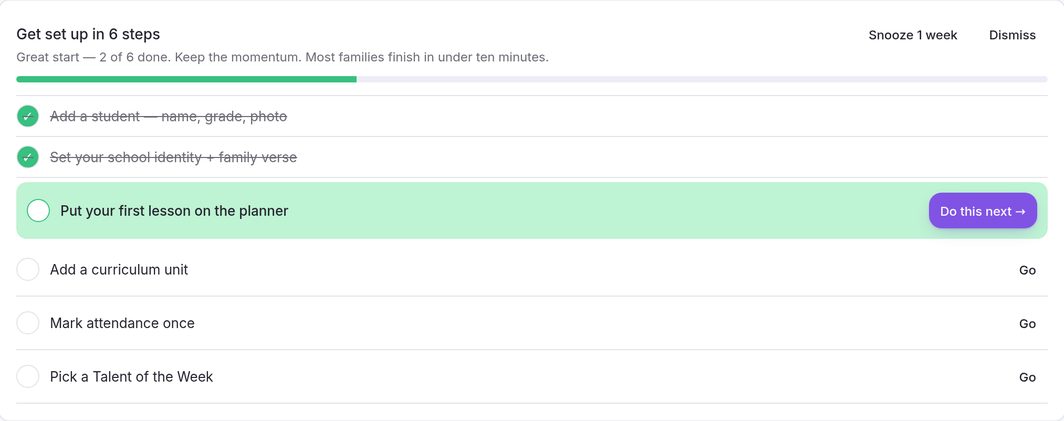
The dashboard walks you through six short steps. Designed to get you started in about ten minutes.
Getting started
The dashboard walks you through six short steps. Designed to get you started in about ten minutes.
-
 Adding your children
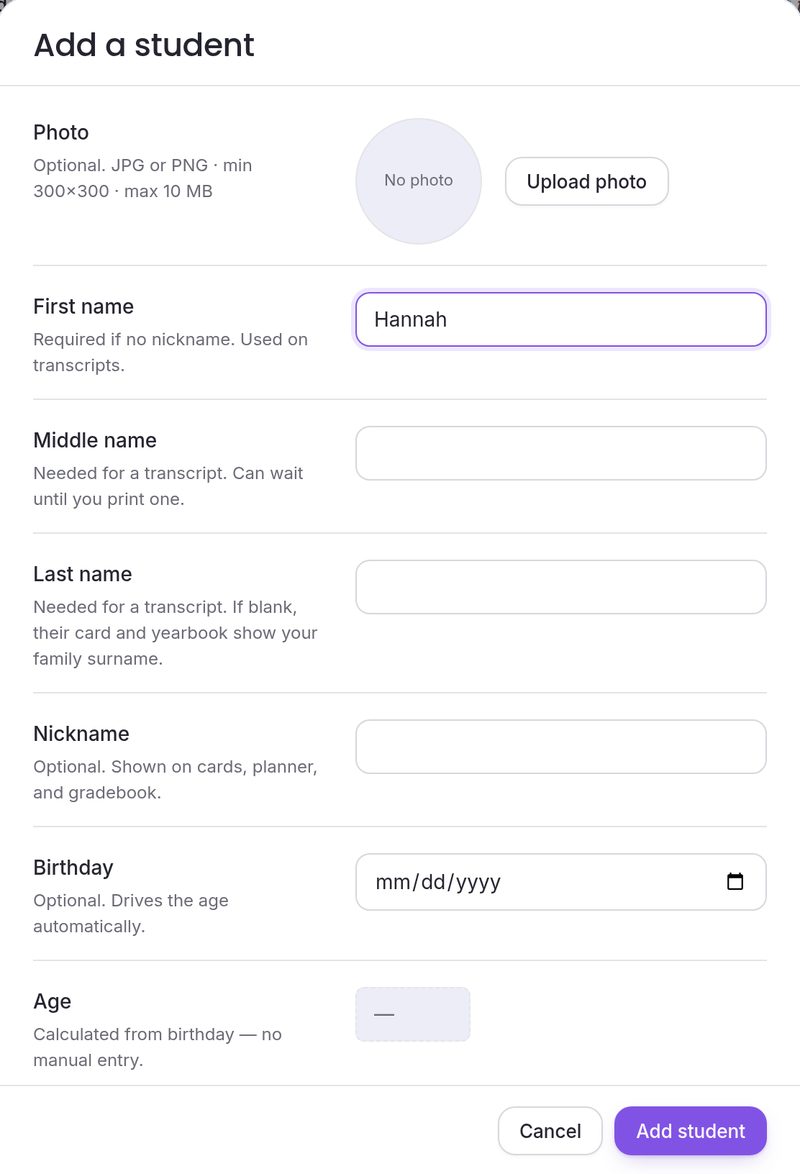
Lessons, attendance, grades and the yearbook all follow the children you add. Only a first name is required.
Adding your children
Lessons, attendance, grades and the yearbook all follow the children you add. Only a first name is required.
-
 Planning your week
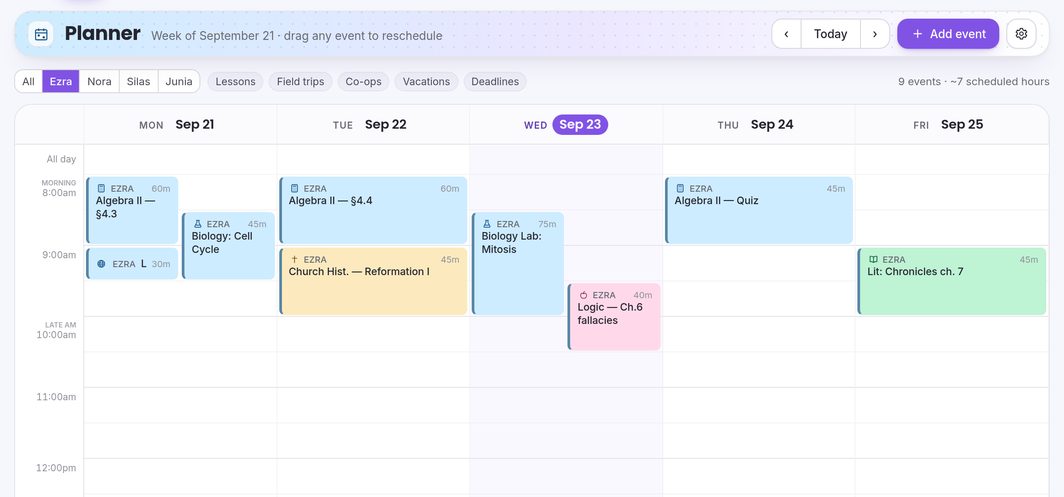
The Calendar shows your school week, Monday to Friday. Add lessons, trips and rest days, repeat them, and drag them to a new time.
Planning your week
The Calendar shows your school week, Monday to Friday. Add lessons, trips and rest days, repeat them, and drag them to a new time.
-
 Importing a curriculum
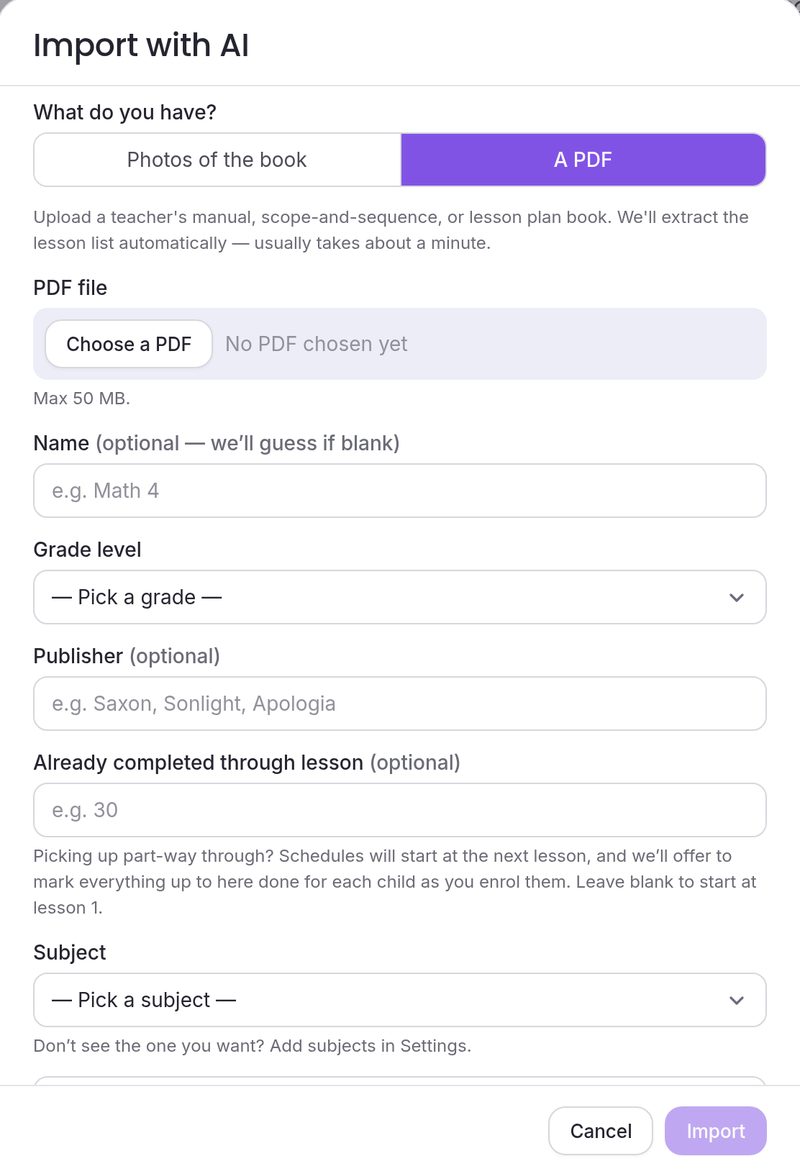
Upload a teacher’s manual as a PDF, or photograph the book’s contents page, and AI reads out the lesson list. Then enroll a child and schedule it.
Importing a curriculum
Upload a teacher’s manual as a PDF, or photograph the book’s contents page, and AI reads out the lesson list. Then enroll a child and schedule it.
-
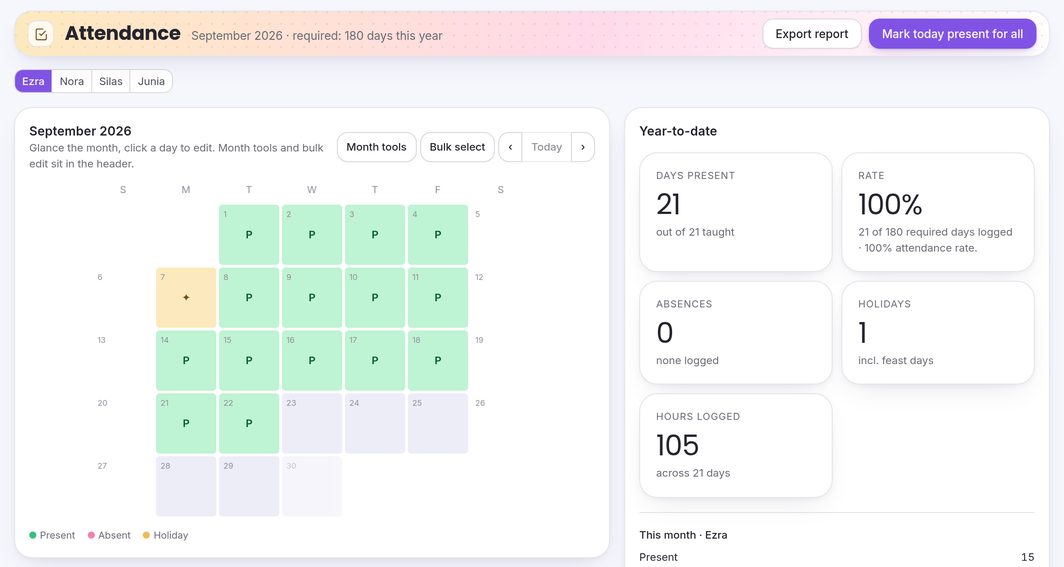 Taking attendance
Mark each child’s school days, and watch the days present add up against your state’s minimum as you go.
Taking attendance
Mark each child’s school days, and watch the days present add up against your state’s minimum as you go.
-
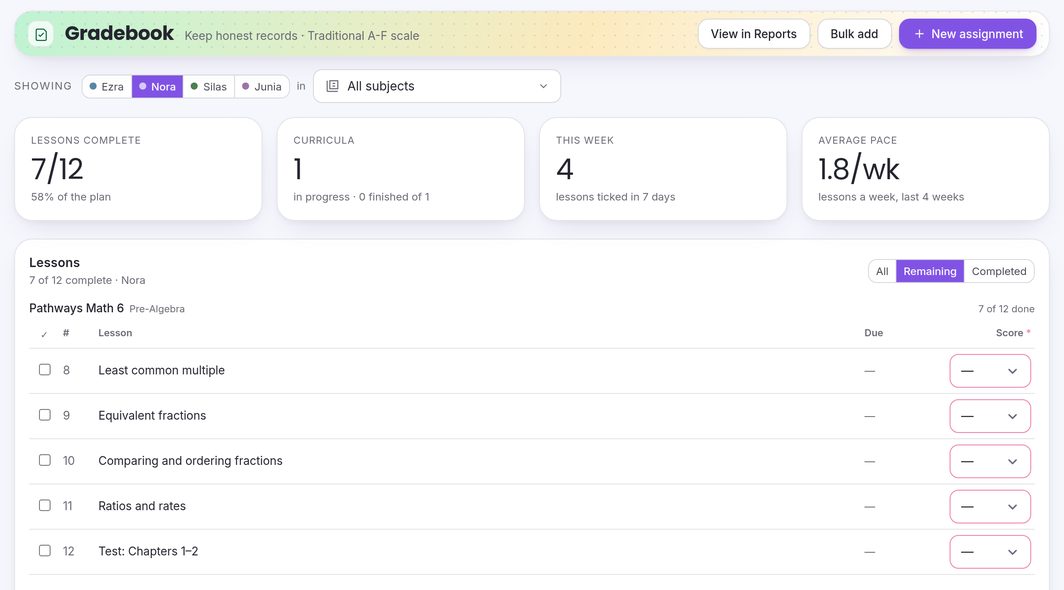 Using the Gradebook
Log assignments and scores for each child. The same scores feed the course averages and GPA on their transcript.
Using the Gradebook
Log assignments and scores for each child. The same scores feed the course averages and GPA on their transcript.
-
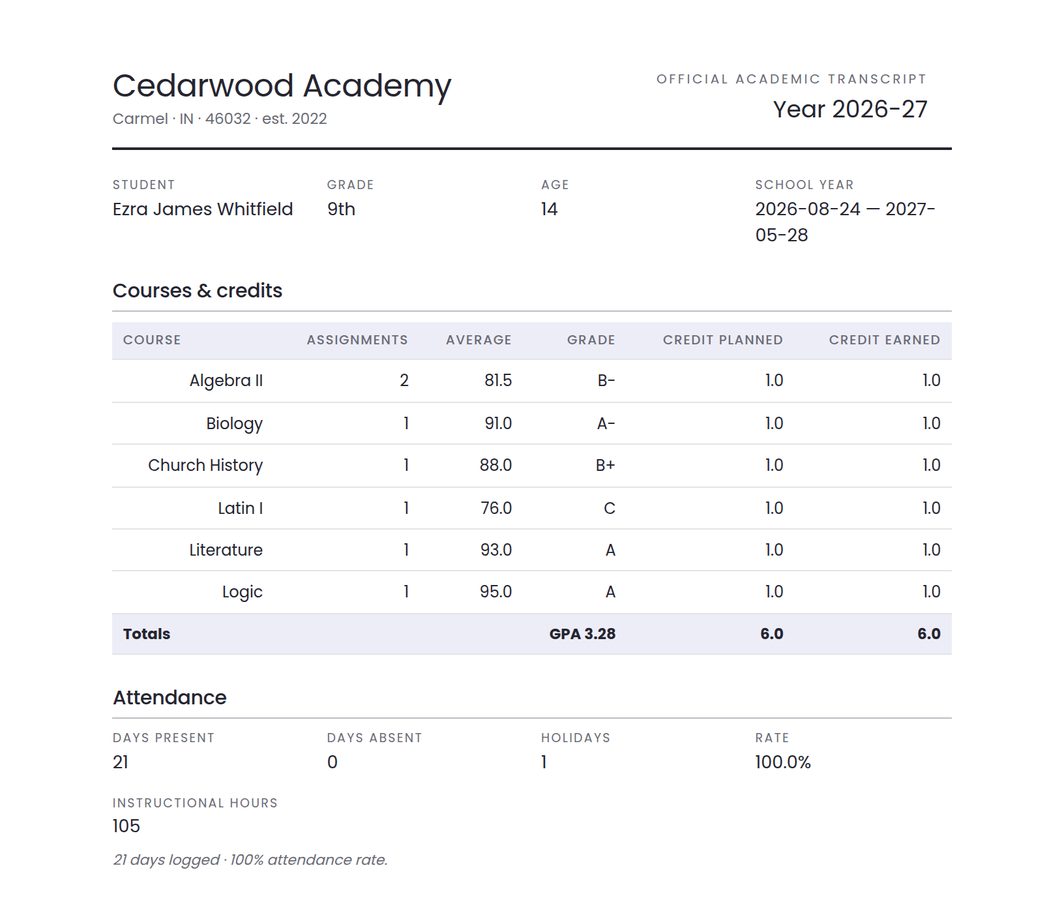 Printing a transcript
Turn a child’s courses, grades and attendance into a print-ready transcript with your school’s name on it, and save it as a PDF.
Printing a transcript
Turn a child’s courses, grades and attendance into a print-ready transcript with your school’s name on it, and save it as a PDF.
-
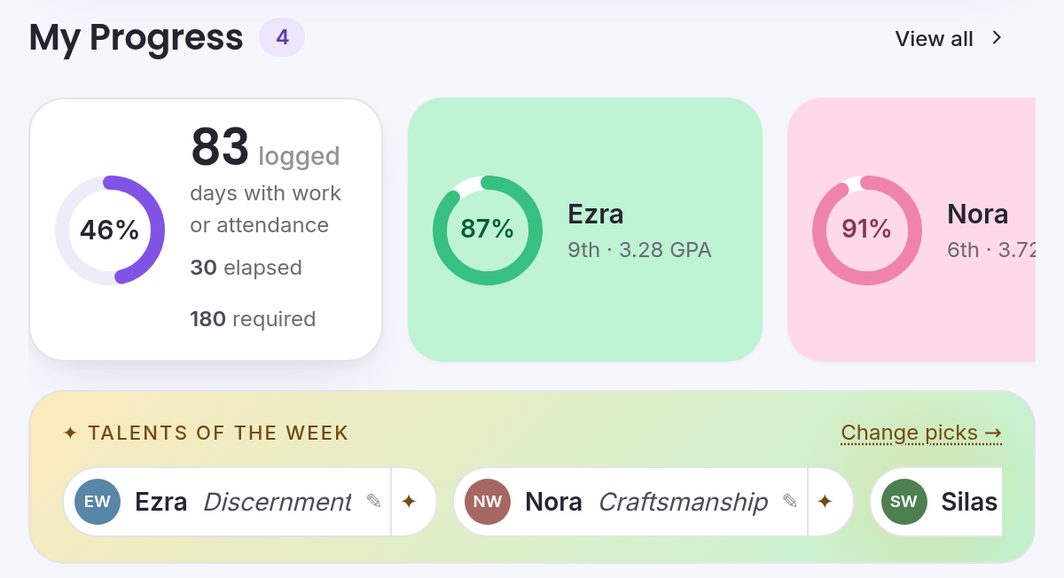 Talents of the week
Each week the dashboard shows one talent for each child, a gift to watch for and encourage, and you can write down the moments you notice.
Talents of the week
Each week the dashboard shows one talent for each child, a gift to watch for and encourage, and you can write down the moments you notice.
-
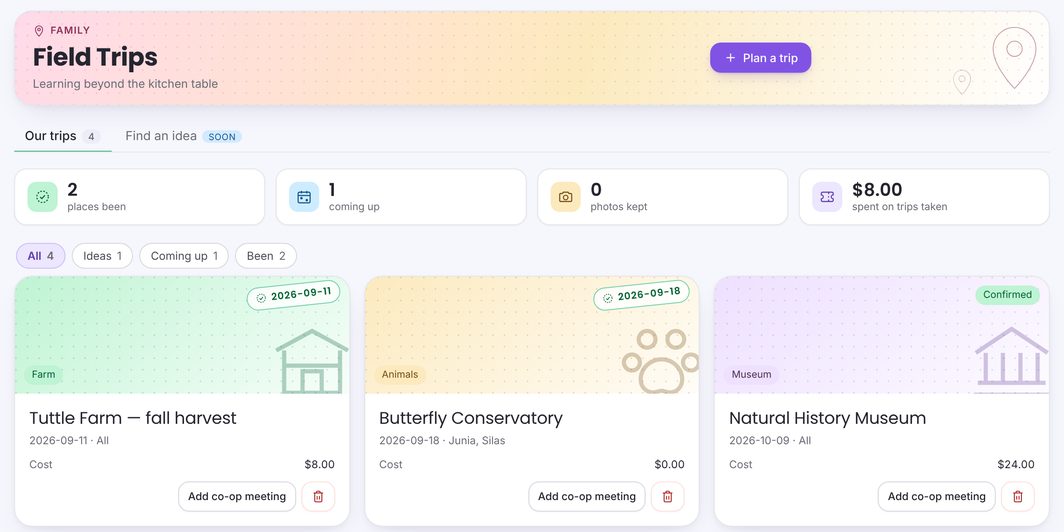 Logging a field trip
Plan trips, note who’s going and what it costs, print permission slips, and keep the photos. Trips with photos get a page in your yearbook.
Logging a field trip
Plan trips, note who’s going and what it costs, print permission slips, and keep the photos. Trips with photos get a page in your yearbook.
Your account
How much does 10Talents cost?
$15.00 a month or $144.00 a year (the annual plan saves 20%), plus sales tax where it applies. One subscription covers every child in the family.
How does the free trial work?
You get 14 days to try everything. A card is taken when you sign up, and your subscription starts when the trial ends unless you cancel first.
What happens to my records if my trial ends or I cancel?
Cancelling paid access does not automatically delete your records. When a trial ends without a subscription, adding and editing pause, and you can still open and export everything for 30 days. After a paid subscription ends, your records stay open for about six months (182 days). Once that window closes the app stops opening, and you can still download a full copy of your records, or subscribe again. You may also request deletion under the Privacy Policy.
How do I change my card or cancel?
Go to Settings → Subscription and press Manage subscription.
Can both parents use the same account?
Yes. Go to Settings → Family members and press + Invite the other parent.
How do I get my records out?
Settings → Data & export has printable transcripts, year-end reports, report cards and yearbooks, CSV files of your gradebook and attendance, a ZIP of every uploaded file, and a calendar file.